Trench Cafe: WIP5
This page hosts another experiment with website environments for Apple Vision Pro.
To enable website environments in Apple Vision Pro, navigate to
Settings > Apps > Safari > Advanced > Feature Flags
then enable “Website environments”.
(After enabling website environments, you may need to reload this page)
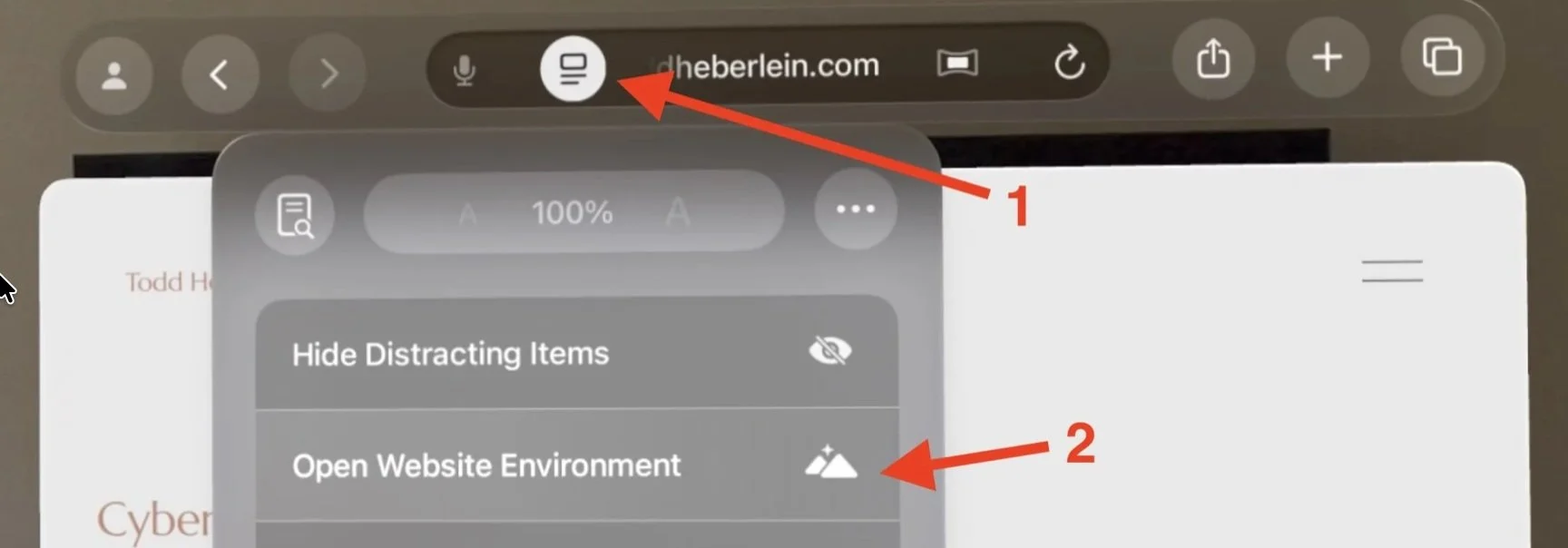
When you are on a web page with a website environment, tap on the left button in the Safari Address bar (1), and then select “Open Website Environment” (2).
The Apple WWDC video for this feature can be found here:
What’s new for the spatial web
To browse the Internet while remaining in the website environment, open a second Safari window and browse the Internet in the second window. I typically put the Safari window with the web environment off to the side.